
Backend configuration
The SDK sends documents and reads results, but how they are searched is configured in the BatteryIncluded portal: which fields can be filtered, which fields feed the suggestions and how relevant each field is for the search.
| Area | Menu | What you configure | Effect in the SDK |
|---|---|---|---|
| Schema | Integration → Schema | Field is filterable, language, label, unit | Field can become a filter, FacetDto::getFieldLabel(), getFieldUnit() |
| Filters | Configuration → Filters | Filters shown in the result and their type | BrowseResponse::getFacets() |
| Suggest | Configuration → Suggest | Fields for completions and suggested documents | SuggestResponse |
| Relevance | Configuration → Relevance | Searched fields, their priority and typo tolerance | Hits and their order in BrowseResponse::getHits() |
Configure the portal after the first sync. It can only offer fields that already exist in your documents. Every page has its own Save button, changes are not applied before you save.
Schema
Integration → Schema shows the data structure of your documents. A field has to be marked as Filterable before it can be configured as filter.
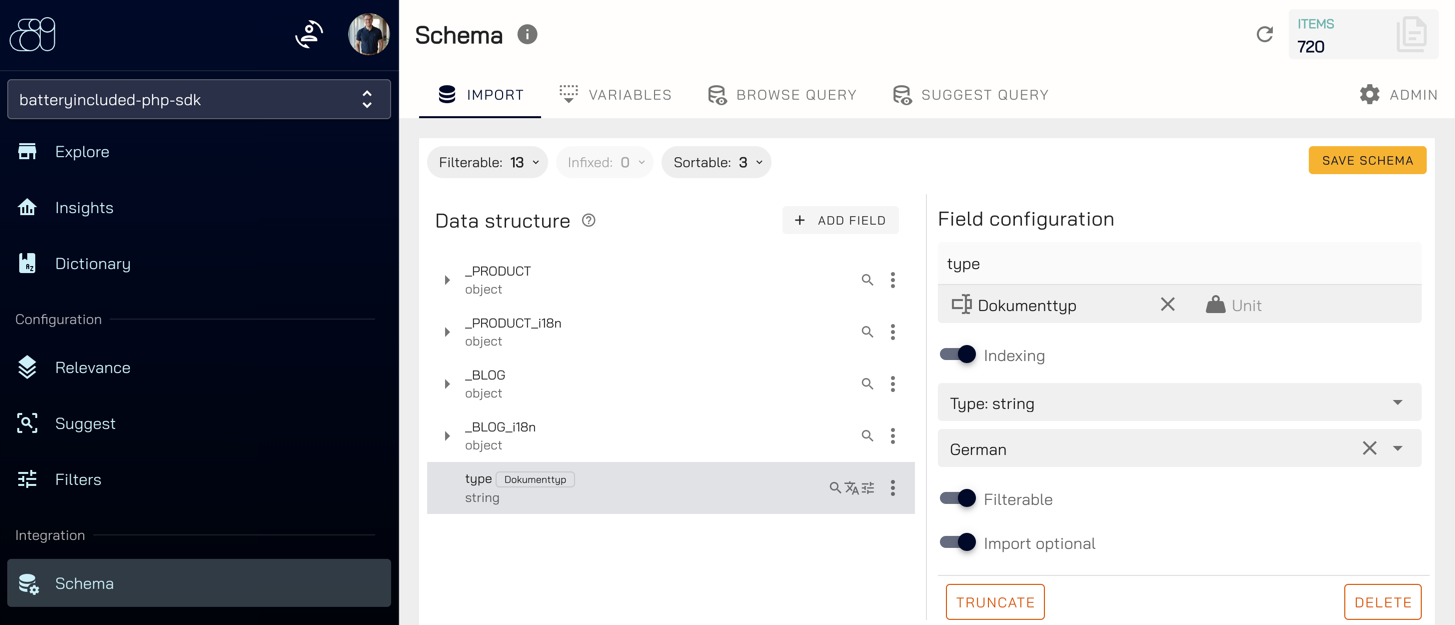
- Open the field in the Data structure tree, e.g.
type. - In the Field configuration on the right:
- enter the label shown in your shop, e.g. “Dokumenttyp”, and for numeric fields the Unit (e.g.
€), - choose the language of the field,
- enable Filterable.
- enter the label shown in your shop, e.g. “Dokumenttyp”, and for numeric fields the Unit (e.g.
- Click Save schema.
The counters above the tree (Filterable, Sortable) show how many fields are enabled.
Translated fields
With translations every locale has its own fields below _PRODUCT_i18n, e.g. _PRODUCT_i18n › en › properties › Storage. Configure each locale separately: mark the field as filterable, set the language of the locale (here English) and enter the label in that language.
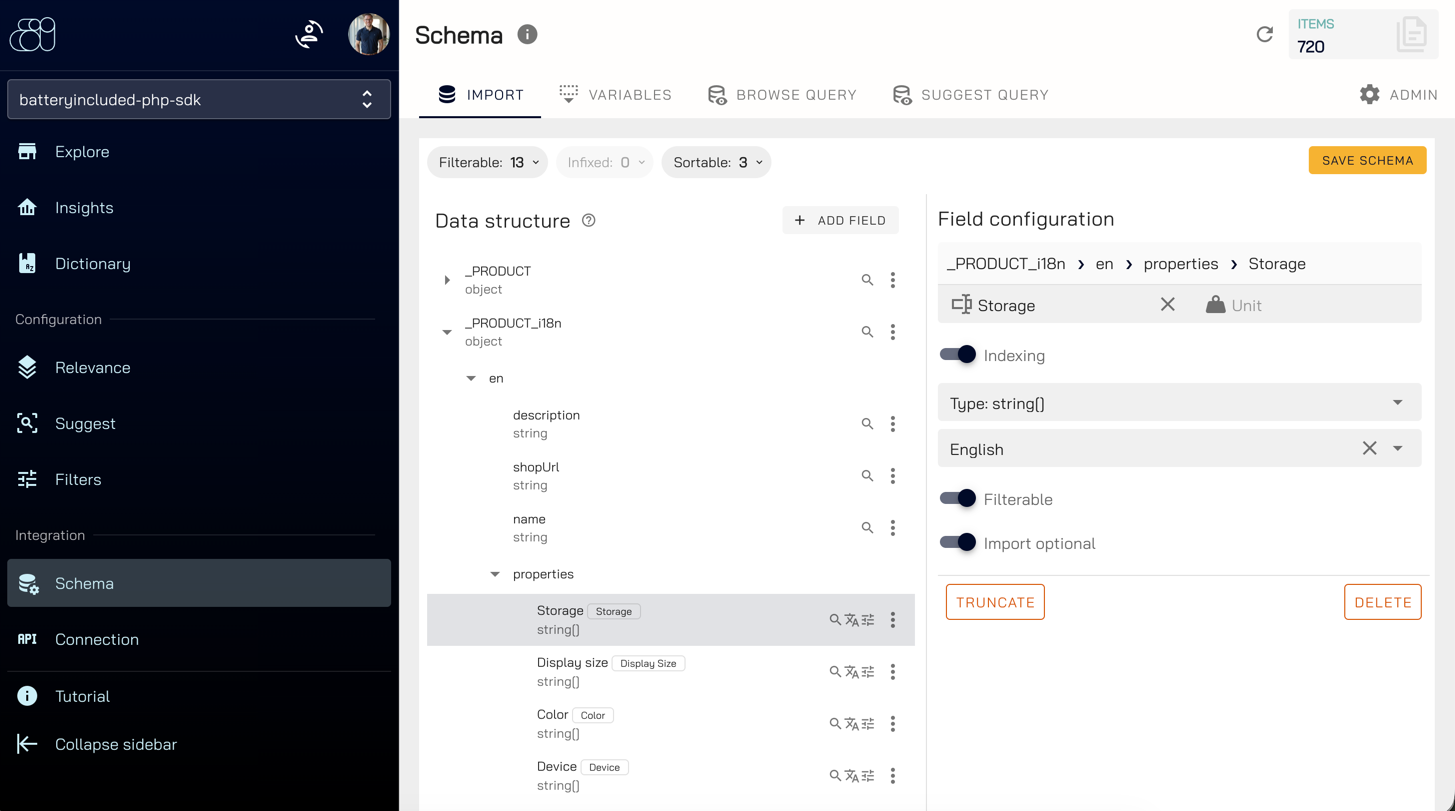
The label is delivered with every facet as FacetDto::getFieldLabel(), so your shop does not need to translate filter names. Keep property names identical in all locales (e.g. always Color), only the labels differ.
The Variables tab of the schema holds the collection variables, e.g. the locale variable described in translations.
Filters
Configuration → Filters decides which filterable fields are shown as filters and how.
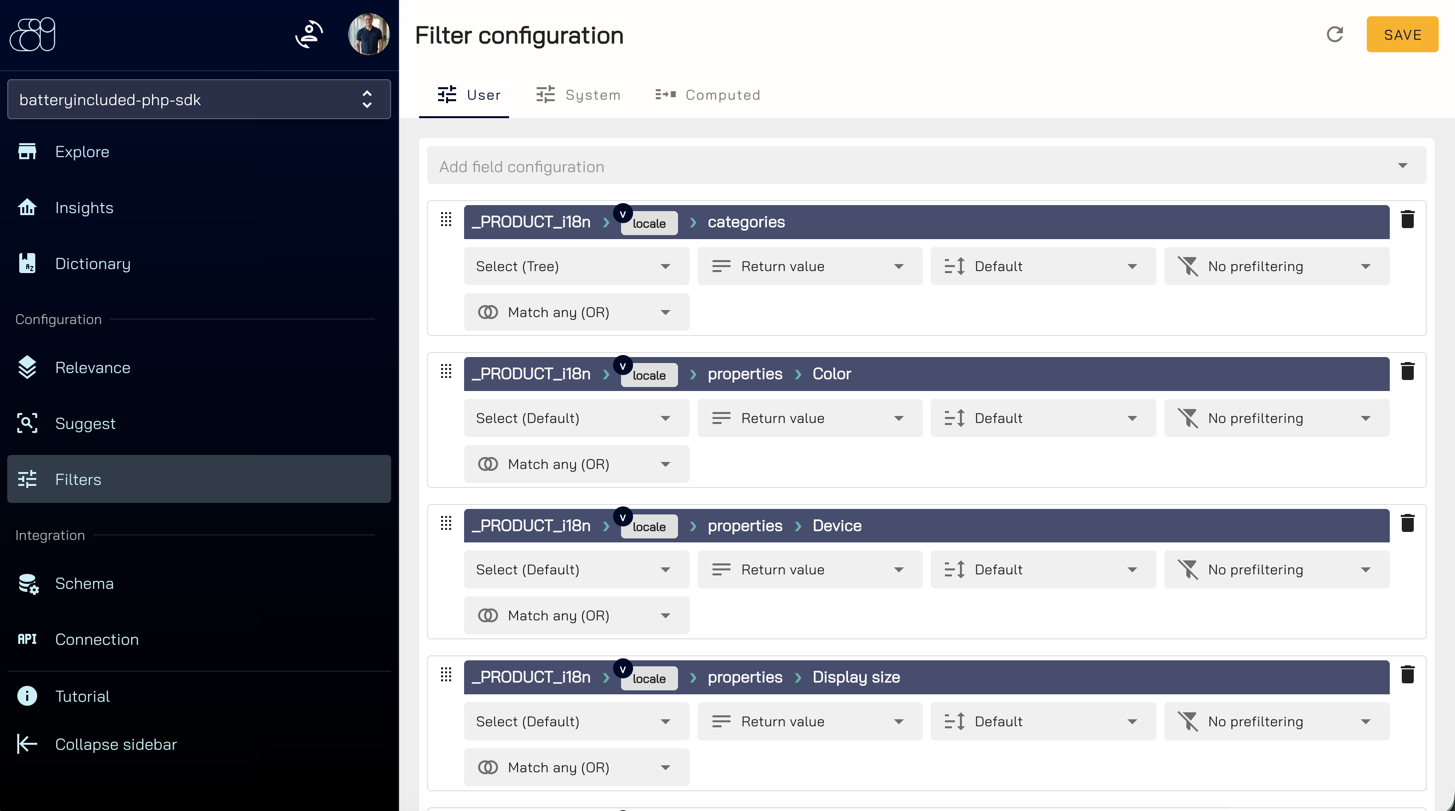
- Choose a field in Add field configuration. Translated fields contain the variable
_PRODUCT_i18n › locale › …, so one filter serves every language: the gateway replaceslocalewith the locale of the request. -
Choose the filter type:
Type Use it for SDK class Select (Default) Properties, e.g. color or storage FacetSelectDtoSelect (Tree) Category paths like Electronics > TVsFacetCategoryDtoRange Numbers, e.g. the price FacetRangeDtoRating Star ratings FacetRatingDtoIgnore / System Fields that should not be shown as filter – 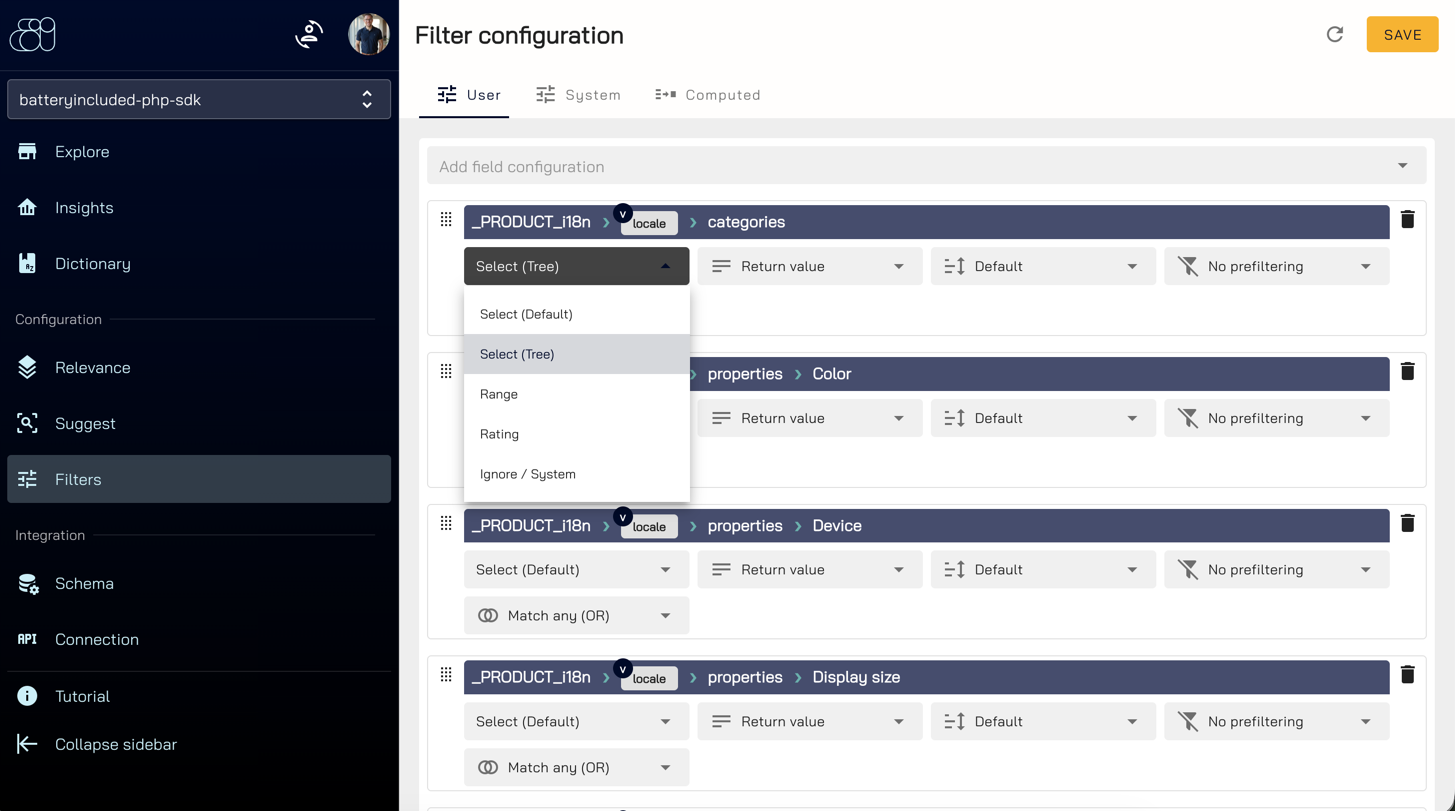
- Adjust the further options if needed, e.g. Match any (OR) for how several selected values are combined.
- Order the filters with the drag handle on the left.
getFacets()returns them in this order. - Click Save.
Pass the field of the category tree to getFacets() so the SDK builds the tree:
$searchStruct = new BrowseSearchStruct();
$searchStruct->setLocale('en');

$result = (new BrowseService($apiClient))->browse($searchStruct);

foreach ($result->getFacets('_PRODUCT_i18n.categories') as $facet) {
    echo $facet->getFieldName() . ' => ' . $facet->getFieldLabel() . PHP_EOL;
}
The demo shop shows all configured filters in its sidebar.
Suggest
Configuration → Suggest controls the suggestions while the visitor is typing. Use Preview suggest at the top to try your changes.
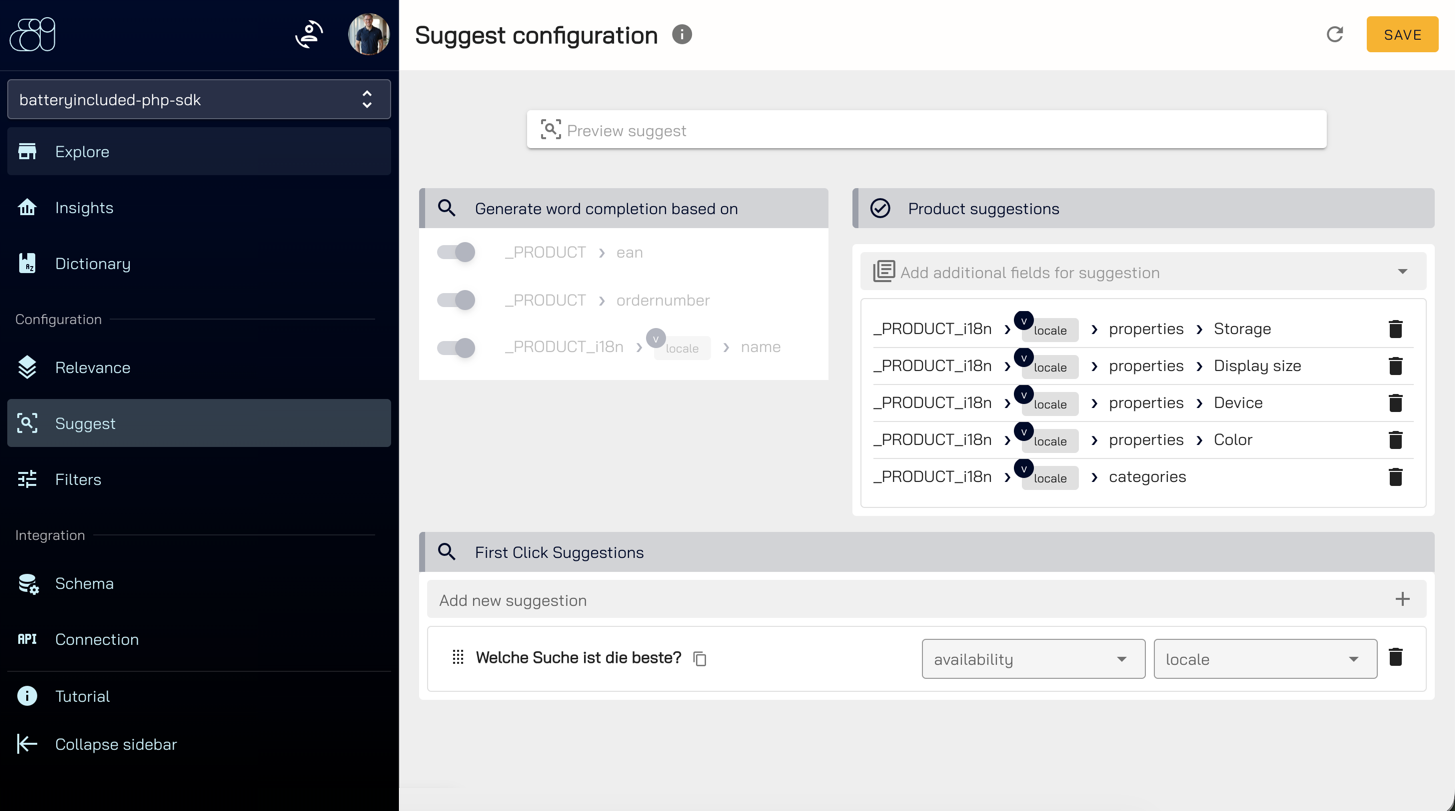
| Section | Content | SDK |
|---|---|---|
| Generate word completion based on | Fields the completions are built from, e.g. ordernumber, ean and the translated name | SuggestResponse::getQueryCompletions() |
| Product suggestions | Additional fields returned with each suggested document | SuggestResponse::getDocuments() |
| First Click Suggestions | Suggestions shown before the visitor types, optionally per variable such as locale | – |
Only the fields listed under Product suggestions are part of the suggested documents. Add id there if your shop links suggestions to detail pages, and the image and url fields if your suggestion layer shows them.
Relevance
Configuration → Relevance → Search defines which fields are searched and how important a match in each field is.
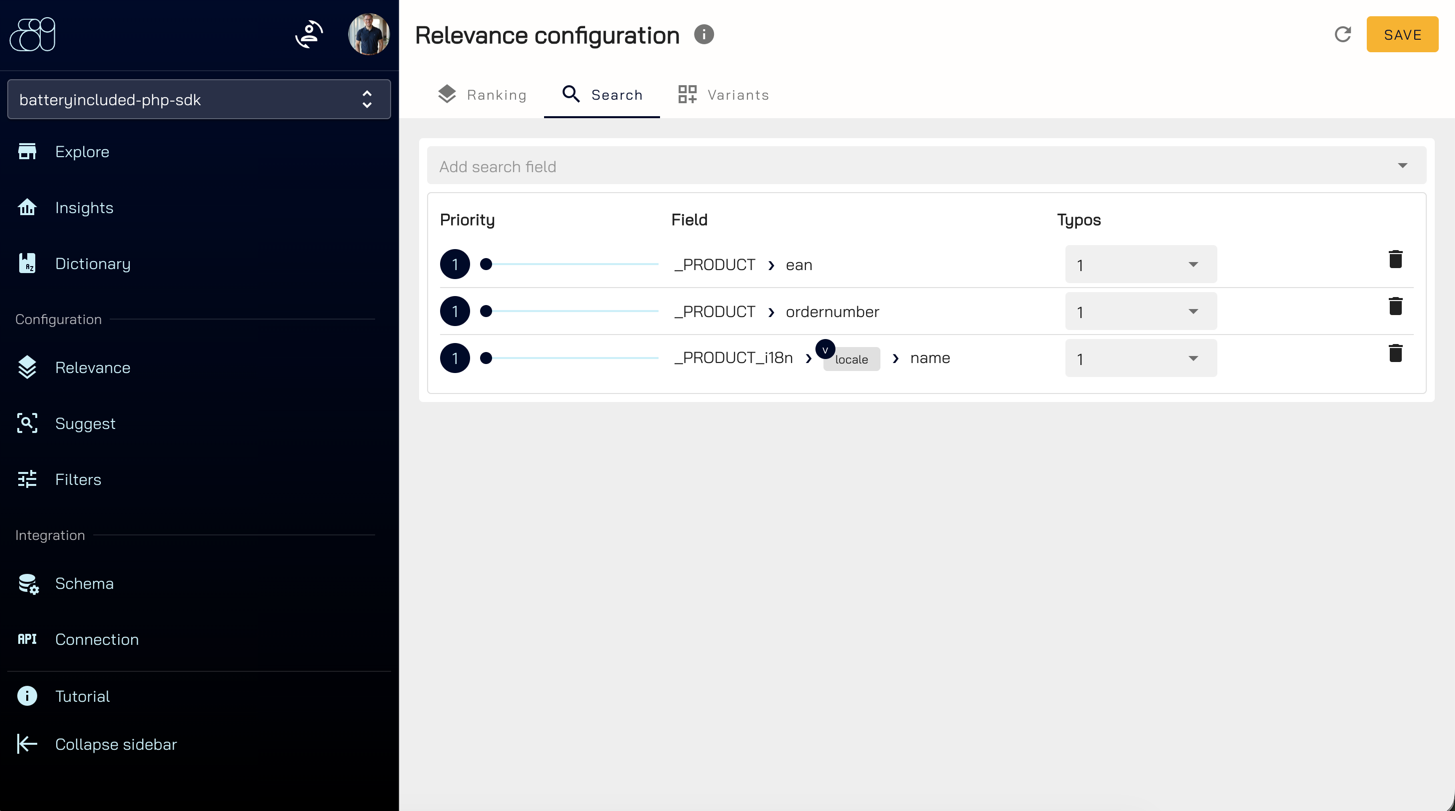
- Add a field with Add search field, e.g.
_PRODUCT_i18n › locale › name. - Set the Priority with the slider. A match in a field with a higher priority ranks the document higher.
- Set Typos, the number of typos tolerated for this field. Use
0for exact values such aseanorordernumber. - Click Save.
Only the fields listed here are searched by BrowseSearchStruct::setQuery(). Without query (category pages) or with a sort the priority has no effect on the order. The tabs Ranking and Variants contain further ranking options.
Troubleshooting
| Symptom | Cause |
|---|---|
getFacets() returns an empty array | No filters configured under Filters, or the collection was recreated and the configuration is gone |
| A field is missing in Add field configuration | The field is not Filterable in the schema, or it does not exist yet (sync first) |
| A filter shows the field name instead of a label | No label maintained in the schema for that field and locale |
| A filter has no effect | The field name differs from the configured filter (e.g. _PRODUCT. instead of _PRODUCT_i18n.) |
Filters of other languages appear (_PRODUCT_i18n.de.properties.Color) | Expected, the gateway delivers them as well. Hide fields with a locale segment in your UI |
| The category filter is a flat list | Use Select (Tree) and pass the field to getFacets() |
| A search term finds nothing | The field containing the term is not listed under Relevance → Search |
Suggestions lack a field, e.g. id or the image | The field is not listed under Product suggestions |
| Suggest requests fail with 500 | Translated filters are configured but the request has no locale, see translations |